
Reviewed: 14 July 2026 by Michael Ganicz
A beeping Seagate external hard drive is not a diagnosis by itself. Seagate notes that USB-powered drives can beep when a port, hub or cable does not provide enough power. A drive that beeps after a drop, fails to spin, clicks repeatedly or is not detected can also have a mechanical fault.
Safe checks for a quiet, undamaged drive
- Remove the drive from any USB hub, dock or long extension cable.
- Use a known-good short cable with the correct connector.
- Connect directly to another USB port. On a desktop, use a rear motherboard port.
- Try one other computer if the drive remains quiet and stable.
Do not initialise, reformat or run a repair utility if the computer offers to “fix” the disk. That prompt does not prove the storage is blank.
Beeping caused by insufficient power
Portable Seagate drives normally obtain power through USB. A weak port, damaged cable or hub can prevent the motor from starting reliably. This is the least invasive possibility and is why one direct-port test with a known-good cable is reasonable.
Beeping after a drop or impact
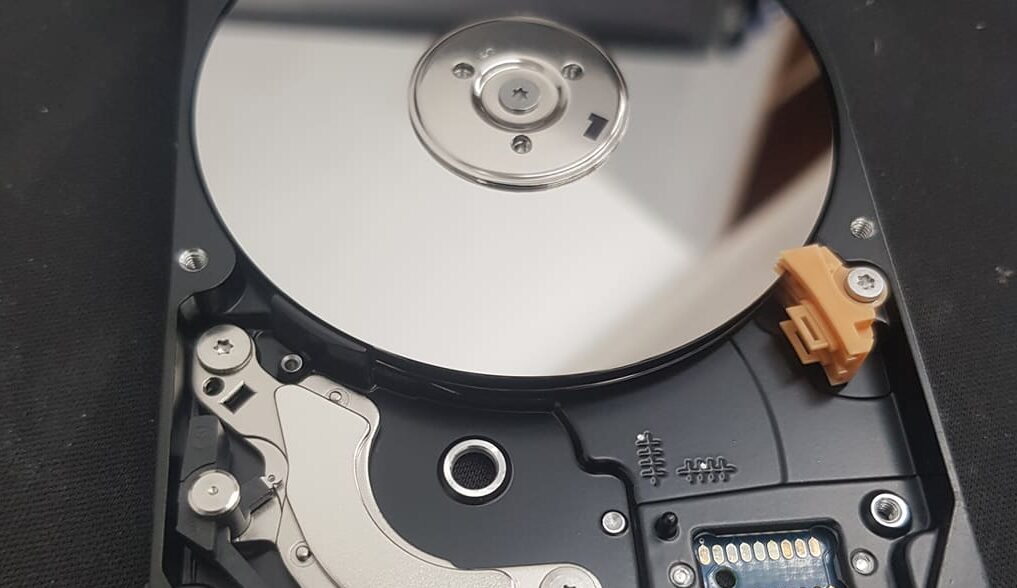
An impact can damage heads, media, the spindle system, the USB connector or the enclosure electronics. A beeping or buzzing sound combined with no normal spin is a reason to disconnect the device. Opening the mechanism or manually moving internal parts can contaminate or scratch the platter surface.
Why repeated testing is risky
If a head is damaged or the media has begun to degrade, each start attempt can create more unreadable sectors. A professional recovery process normally prioritises diagnosis and controlled imaging rather than trying to make the drive usable again for everyday storage.
Frequently asked questions
Will a powered USB hub fix it?
It may help a genuine power problem, but it should not be used to keep testing a drive that clicks, was dropped or contains irreplaceable data. A direct computer port and known-good cable are the safer first check.
Can I run SeaTools?
Diagnostics can place additional load on a failing drive. Do not run a long test when the drive is unstable or the files are the priority.
Can I open the enclosure?
Removing a plastic enclosure is different from opening the sealed hard-drive mechanism, but some portable models use integrated USB electronics or encryption. Ask first when the data is important.
Manufacturer reference: Seagate: what to do for a noisy disk drive.
Need the files rather than the drive repaired?
Stop using the affected storage and describe the symptoms before trying repair software or repeated power cycles. Data Recovery Lab NZ accepts tracked mail-in cases from throughout New Zealand.