
SSD Data Recovery NZ – SATA, M.2 SATA & mSATA
SATA SSD recovery for failed 2.5-inch, mSATA and M.2 drives, including controller, firmware, electrical, NAND and logical faults.
Professional SSD data recovery for failed, dead, undetected and inaccessible SATA, M.2 SATA and mSATA solid-state drives throughout New Zealand.
Data Recovery Lab NZ assesses solid-state drives affected by controller faults, firmware problems, electrical failure, damaged connectors, NAND flash degradation, file-system corruption and other faults that prevent normal access to important data.
Recovery work is carried out through our Timaru lab. Local customers can arrange a drop-off, while customers elsewhere in New Zealand can use our tracked nationwide mail-in service.
If an SSD has disappeared from the BIOS, become extremely slow, turned read-only, repeatedly disconnects or contains the only copy of important files, avoid further unnecessary testing. SSD failures can behave very differently from hard-drive failures and may deteriorate without making any unusual sound.
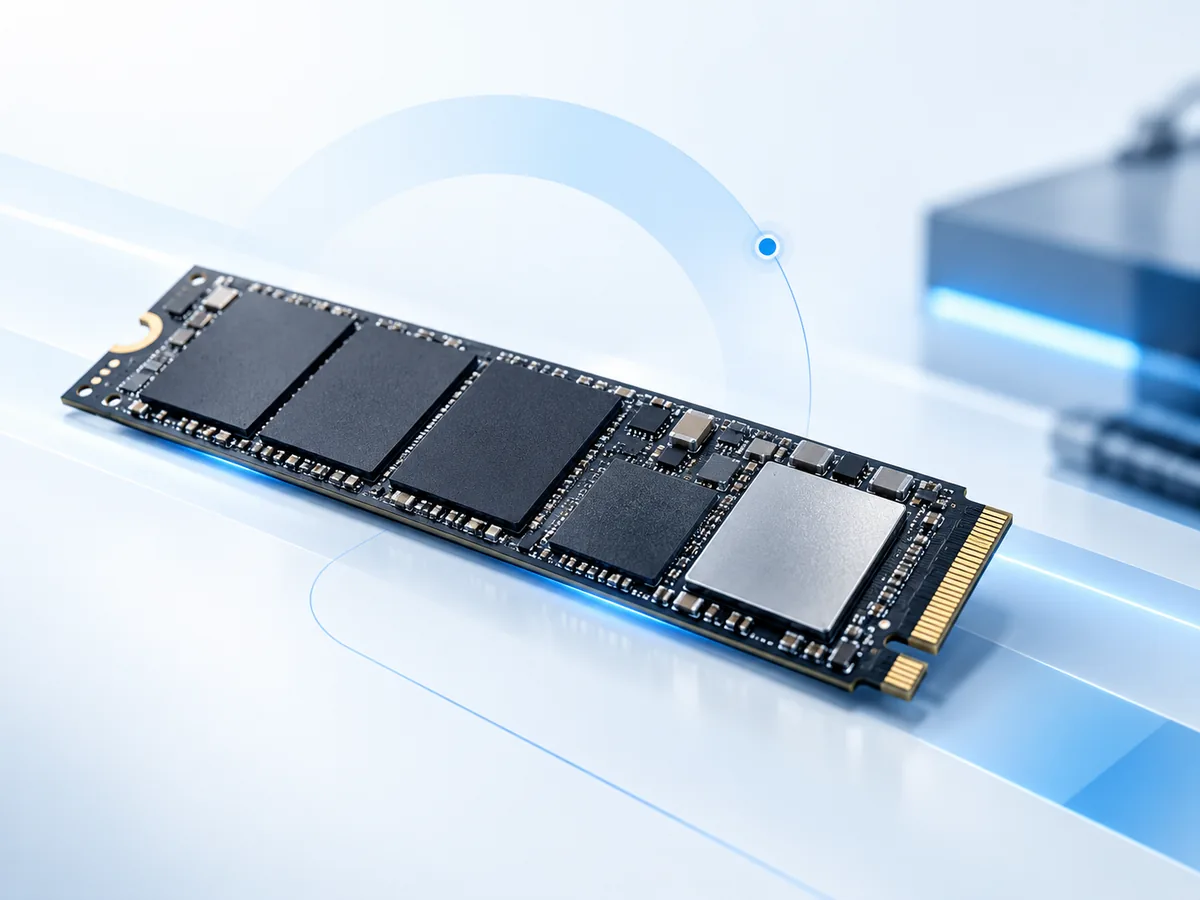
Stop Writing to a Failing SSD
If the data matters, the first priority is preserving the current state of the drive.
Avoid:
- initialising an SSD that appears as an unknown or uninitialised disk
- formatting or repartitioning the drive
- reinstalling Windows, macOS or another operating system onto it
- running CHKDSK, Disk Utility First Aid or similar repair utilities on unstable storage
- repeatedly scanning a failing SSD with consumer recovery software
- running manufacturer firmware updates on a drive containing the only copy of important data
- repeatedly power-cycling an SSD that is disappearing or becoming hot
- performing random PCB or controller-board swaps
If the SSD disappears, freezes the computer, repeatedly reconnects, reports large numbers of read errors or becomes unusually hot, disconnect it.
For accidentally deleted or formatted data, stop writing new files to the SSD immediately. TRIM and background garbage collection can make deleted SSD data fundamentally different from deleted data on a traditional hard drive.
Can Data Be Recovered From a Failed SSD?
Sometimes. The answer depends on exactly what has failed and whether the controller, firmware, NAND flash and internal metadata remain accessible enough to reconstruct the stored data.
A solid-state drive contains no moving read/write heads or spinning platters, but that does not make it immune to failure. SSDs depend on several tightly integrated components and layers of translation between the computer and the raw NAND flash.
Potential recovery paths can include controlled access to a partially functioning SSD, electrical or board-level work, controller or firmware-related diagnosis, logical recovery, or imaging readable data to separate storage.
Some failures are recoverable. Others involve unsupported controllers, severely degraded NAND, lost encryption information or damage to critical internal metadata that can make recovery impractical or impossible.
An assessment is therefore more useful than assuming that an SSD is unrecoverable simply because it no longer appears in Windows or macOS.
Common SSD Failure Symptoms
An SSD can fail suddenly and silently. Common symptoms include:
- the SSD is no longer detected in BIOS or UEFI
- the drive is missing from Disk Management or Disk Utility
- the SSD appears intermittently and then disappears
- the computer freezes when the SSD is connected
- the SSD reports the wrong model name
- the drive reports an incorrect capacity
- the SSD suddenly becomes read-only
- files cannot be opened or copied
- copying stops with I/O or read errors
- Windows or macOS asks to initialise or format the drive
- the computer no longer boots from the SSD
- the SSD becomes unusually hot
- a power surge or electrical event occurred before failure
- a connector or circuit board has been physically damaged
- liquid damage affected the computer or SSD
- the drive was accidentally formatted or repartitioned
- important files were deleted
These symptoms do not identify one specific fault. Diagnosis is needed to determine whether the problem is electrical, controller-related, firmware-related, NAND-related or logical.
SSD Not Detected in BIOS or UEFI
An SSD that does not appear in the computer's BIOS or UEFI may have a problem below the file-system level.
Possible causes include:
- failed power circuitry
- controller failure
- firmware or internal metadata problems
- damaged NAND flash
- damaged connectors or PCB traces
- electrical damage
- an unstable or failing USB bridge in an external enclosure
If the drive contains important data, repeated restarts are unlikely to resolve a genuine hardware or firmware failure and can add further stress to an unstable device.
Do not initialise the SSD if it later reappears as an unknown disk. Initialising creates new disk structures and is not a recovery step.
Dead SSD Data Recovery
A completely unresponsive SSD may still warrant assessment.
Unlike a mechanical hard drive, a failed SSD often provides no audible indication of what went wrong. A device that appears completely dead may have a power fault, damaged protection component, controller problem, firmware failure or another board-level issue.
The objective of SSD data recovery is not necessarily to repair the drive for continued everyday use. The objective is to obtain stable enough access to copy the important data to separate storage.
If temporary electrical, firmware or controller-level stabilisation is possible, the drive may only need to operate reliably long enough for controlled imaging and data extraction.
A previously failed SSD should not be trusted again as primary storage after recovery.
What Can Fail Inside an SSD?
Solid-state drives are more complex internally than their lack of moving parts might suggest.
SSD controller
The controller manages communication with the computer and controls how data is written to and read from NAND flash.
It may also manage wear levelling, error correction, bad-block handling, garbage collection, internal metadata, encryption or scrambling, and the mapping between logical sectors and physical NAND locations.
A controller failure can leave apparently healthy NAND inaccessible because the information required to interpret the flash is no longer being processed normally.
Firmware and internal metadata
An SSD relies on firmware and internal structures that describe how the controller should manage the flash memory.
Corruption or failure in these structures can cause symptoms such as incorrect capacity, incorrect identification, failure to initialise or complete loss of normal access.
NAND flash memory
NAND flash has a finite program/erase life and relies on error correction to compensate for increasing bit errors as the memory wears.
NAND can also suffer electrical, physical or manufacturing-related failure.
Severe degradation can make some data unreadable even when other areas remain accessible.
Power circuitry and PCB components
Voltage regulation, protection components and other electronic circuitry can fail because of power events, liquid damage, damaged connectors or component failure.
Electrical problems should be diagnosed rather than bypassed blindly, particularly when the SSD contains irreplaceable data.
Flash Translation Layer
The computer sees an SSD as a sequence of logical sectors, but the controller distributes those sectors across physical NAND locations.
Wear levelling, garbage collection and bad-block management mean that logical files are not necessarily stored in a simple sequential arrangement on the flash chips.
This mapping layer is one reason that reading NAND packages directly does not automatically produce usable files.
SATA, M.2 SATA and mSATA Explained
The terms SATA, M.2 and mSATA describe different aspects of an SSD and are often confused.
2.5-inch SATA SSD
A 2.5-inch SATA SSD typically uses the familiar SATA data and power connectors found in many desktop and laptop computers.
Although the enclosure resembles a small hard drive, the internal storage is NAND flash controlled electronically.
M.2 SATA SSD
M.2 describes a physical form factor, not the storage protocol by itself.
An M.2 SSD can use the SATA interface or it can use PCI Express with NVMe. The two may look similar but require different interfaces, adapters and recovery approaches.
The label and exact model should be checked before assuming that an M.2 drive is SATA.
mSATA SSD
mSATA is an older compact SSD format commonly found in some laptops and embedded systems. It uses the SATA protocol but a different physical connector and form factor from a 2.5-inch SATA SSD.
What if my M.2 drive is NVMe?
If the SSD uses PCIe/NVMe rather than SATA, see our dedicated NVMe Data Recovery page.
If you are not sure which type of SSD you have, send the manufacturer and model number or a clear photograph of the label when starting the case.
SATA SSD Controller and Firmware Failure
Controller or firmware-related failure can cause an SSD to disappear completely, identify incorrectly, report the wrong capacity, become inaccessible or lock up the host computer.
Because the controller manages the mapping and interpretation of NAND data, replacing it is generally not comparable to replacing a simple interface component.
Any feasible recovery approach depends on the exact SSD model, controller family, firmware state, NAND configuration and the nature of the failure.
There is no universal SSD firmware repair procedure that is safe for every failed drive.
NAND Flash Failure and Wear
NAND flash gradually accumulates wear as cells are programmed and erased. SSD controllers use wear levelling and error correction to manage this during normal operation.
As flash deteriorates, a drive may become unstable, produce read errors, enter a protective read-only state or stop initialising normally.
The amount of recoverable data depends on which NAND areas are affected and whether the controller and internal mapping information can still be used successfully.
If an SSD has become extremely slow or is producing increasing read errors, continuing to copy files manually can repeatedly stress already difficult areas. Controlled imaging is preferable where the device can still be accessed safely.
Laptop SSD Data Recovery
Many laptops use removable 2.5-inch SATA, M.2 SATA or mSATA SSDs. Others use NVMe storage or storage integrated directly with the system board.
If a laptop no longer boots, the SSD should not automatically be assumed to have failed. The problem may instead involve the operating system, motherboard, power system or another component.
Where the SSD itself is removable, the storage alone may be sufficient for assessment. However, encryption such as BitLocker or FileVault can mean that passwords, recovery keys or the original computer may become relevant.
Start the case before shipping the complete laptop so we can confirm what needs to be sent.
External SSD Data Recovery
External solid-state drives can contain several different internal architectures.
Some use a SATA SSD behind a USB bridge. Others use NVMe storage behind a USB or Thunderbolt interface, while some devices use more integrated controller designs.
An external SSD that stops appearing may therefore have a problem with:
- the USB cable
- USB or Thunderbolt connector
- bridge electronics
- power circuitry
- the internal SSD controller
- firmware
- NAND flash
- the file system
One known-good cable or direct USB-port test can be reasonable if the device is otherwise stable. Stop testing if it becomes hot, repeatedly reconnects or freezes the computer.
Keep the original enclosure and electronics with the device when sending it for assessment.
Deleted and Formatted SSD Data Recovery
Deleted-file recovery from an SSD can be much less predictable than deleted-file recovery from a traditional hard drive.
Modern operating systems can send a TRIM command to tell the SSD that blocks belonging to deleted files or removed file-system structures are no longer required.
Once those blocks have been deallocated and subsequently cleared or recycled internally, the previous data may no longer be available to normal recovery methods.
The timing and effect vary with the operating system, file system, SSD controller, connection type and what has happened since deletion.
If important files were accidentally deleted:
- stop using the SSD
- do not install recovery software onto it
- do not copy new files to it
- do not reinstall the operating system
- avoid unnecessary power-on time where the data is irreplaceable
If an SSD has been formatted, stop using it immediately and tell us whether the format was quick or full, which operating system was involved and what happened afterward.
Recovery cannot be guaranteed when TRIM or subsequent writes have already removed the required data.
TRIM and SSD Data Recovery
TRIM is designed to help SSDs manage flash storage efficiently. It allows the operating system to identify logical blocks that are no longer needed.
From a data-recovery perspective, this can be important because deleted sectors may stop returning their previous contents even though no new user file has visibly overwritten them.
This is why the old hard-drive advice that “deleted data remains until something overwrites it” cannot be applied universally to modern SSDs.
TRIM does not mean that every deleted SSD file disappears instantly in every situation. The exact result depends on the drive, operating system, interface, controller behaviour and whether the relevant blocks have actually been processed.
An assessment should therefore be based on the actual case rather than assuming either that deleted SSD data is definitely recoverable or definitely gone.
SSD Encryption and Data Recovery
Encryption can affect SSD recovery at several different levels.
Some SSD controllers internally transform, scramble or encrypt NAND data as part of normal operation. This is separate from user-enabled disk encryption, but it can make raw flash reconstruction dependent on controller-specific information.
The computer may also use full-disk encryption such as:
- BitLocker or Windows Device Encryption
- FileVault on compatible Mac systems
- other software or hardware encryption
If the SSD is encrypted, the correct password, recovery key or associated credentials may be needed after physical access to the storage has been restored.
Do not send passwords or recovery keys through the public enquiry form. If credentials are required for an accepted recovery case, they can be handled separately.
Can I Swap the SSD Circuit Board?
Usually not as a simple repair.
SSD controller, firmware, NAND flash and internal metadata are closely related. Drives that look identical externally may contain different controllers, NAND revisions, firmware or board layouts.
Moving a circuit board from another SSD does not automatically recreate the original controller's relationship with the NAND data.
An incorrect donor board or uncontrolled soldering attempt can add electrical or physical damage to the original device.
If donor components are required for a recovery, compatibility has to be considered at a more detailed level than simply matching the capacity or retail model name.
What Not to Do With a Failed SSD
- Do not initialise the disk if Windows or macOS says it is unknown.
- Do not format it to make it usable again when the existing data matters.
- Do not reinstall the operating system onto the affected SSD.
- Do not repeatedly run full recovery scans against an unstable drive.
- Do not run CHKDSK or file-system repair utilities as your first response to unstable storage.
- Do not update the SSD firmware blindly when the device contains the only copy of important information.
- Do not perform random PCB swaps.
- Do not keep power-cycling an SSD that is becoming hot or repeatedly disappearing.
If the data is backed up and the objective is simply making the computer work again, normal repair procedures may be appropriate. When the SSD contains irreplaceable data, preservation should come before repair.
How the SSD Data Recovery Process Works
-
Tell us what happened.
Provide the SSD manufacturer and model if known, its capacity and form factor, what symptoms you are seeing, what happened before the failure and which files are most important. -
Send or drop off the SSD.
Timaru customers can arrange a local drop-off. Customers elsewhere in New Zealand can use our tracked nationwide mail-in service. -
Identification and assessment.
We identify the exact interface, controller and drive configuration and inspect the connector, PCB and visible electrical condition. -
Controlled testing.
Where appropriate, identification and read stability are tested using methods selected for the condition of the device. -
Recovery plan and quote.
We explain the proposed electrical, firmware, controller, imaging or logical work where feasible, along with applicable charges and known limitations. -
You decide.
Paid recovery work proceeds only after approval. -
Imaging and data extraction.
Where stable access can be achieved, readable content is imaged to separate storage rather than treating the failed SSD as normal working storage. -
Verification and return.
Recoverable file systems and requested data are extracted and checked where technically possible before return using the agreed destination media or method.
Every SSD recovery depends on the condition of the original storage. No responsible provider can guarantee recovery of every failed SSD or every file.
How Much Does SSD Data Recovery Cost?
SSD data recovery cost depends primarily on the type of failure and the work required to obtain access to the data.
A healthy SSD with logical file-system damage may require very different work from a drive with failed power circuitry, controller problems, damaged NAND or extensive firmware issues.
Factors that can affect cost include:
- the exact SSD model and controller
- whether the failure is logical, electrical, firmware-related or NAND-related
- the condition of the NAND flash
- drive capacity
- encryption
- previous repair or recovery attempts
- the amount of imaging required
- parts or donor-component requirements where applicable
- destination media
- courier costs
See our Data Recovery Pricing and Fees page for current assessment, recovery and additional-cost information.
Applicable charges and known limitations are explained before you approve paid recovery work.
SSD Data Recovery Across New Zealand
SSD recovery work is carried out through our Timaru lab.
Customers in Auckland, Wellington, Christchurch, Hamilton and elsewhere in New Zealand can send failed SSDs using our tracked nationwide mail-in service.
We do not claim staffed branches in those cities. Devices sent from other regions are assessed and recovered through Timaru.
For a removable SSD, you may only need to send the storage device rather than the entire computer. For some encrypted or integrated systems, the original computer may also be required.
Start the case before shipping so we can confirm what needs to be sent.
Nationwide mail-in instructions →
Local SSD Data Recovery in Timaru
Local customers can arrange a drop-off at:
Data Recovery Lab NZ
2/27 Nile Street
Highfield
Timaru 7910
New Zealand
Data Security and Confidentiality
SSDs submitted for recovery can contain personal documents, photographs, business files, databases, financial information and other sensitive data.
Access to a device is limited to what is necessary for assessment and recovery. Credentials are requested only where required to access encrypted information or verify recovered data.
Do not send passwords or recovery keys through the public enquiry form.
See our Data Security and Confidentiality information for more detail about case handling, access and retention.
SSD Data Recovery FAQs
Can data be recovered from a dead SSD?
Sometimes. A dead SSD may have an electrical, controller, firmware or NAND-related fault. The recovery options depend on the exact model, controller, condition of the NAND and whether the internal metadata required to reconstruct the data remains usable.
Can you recover an SSD that is not detected?
Potentially. A drive that does not appear in BIOS or UEFI may have an electrical, controller, firmware, connector or NAND problem. Lack of detection does not by itself prove that the stored data has been destroyed.
Why has my SSD disappeared from BIOS?
Possible causes include power-circuit failure, controller problems, firmware or metadata corruption, NAND failure or connector damage. Repeatedly restarting the computer is unlikely to fix a genuine hardware fault.
Can data be recovered from a formatted SSD?
Sometimes, but the result is strongly affected by TRIM, subsequent writes and the type of format performed. Stop using the SSD immediately if the formatted data is important.
Can deleted files be recovered from an SSD?
Sometimes, but TRIM may cause deleted blocks to stop returning their previous contents. Recovery depends on the operating system, SSD controller, interface, file system and what has happened since deletion.
Does TRIM make SSD recovery impossible?
Not automatically in every situation. However, once the relevant blocks have been deallocated and cleared or recycled by the SSD, the old data may no longer be recoverable. The effect is case-specific.
Can I use data recovery software on my SSD?
Recovery software may be appropriate for some logical problems on a physically stable SSD. It should not be the first response to a drive that disappears, becomes hot, freezes the computer, reports severe read errors or behaves unpredictably.
Never install the recovery software onto the same SSD containing the missing data.
Can I swap the controller board from another SSD?
Usually not as a simple fix. The controller, firmware, NAND configuration and internal metadata are closely related. An apparently identical donor SSD may not be electrically or logically compatible.
Can a failed SSD be repaired and used again?
The objective of intervention on a failed SSD is data recovery, not returning the device to reliable everyday service. A drive that required hardware or firmware recovery should be replaced after the required data has been extracted.
Is an M.2 SSD always NVMe?
No. M.2 describes the physical form factor. An M.2 SSD can use SATA or PCIe/NVMe. Check the model number before selecting adapters or recovery methods.
Do you recover NVMe SSDs?
Yes, NVMe devices are covered separately because they use a different interface and recovery path. See NVMe Data Recovery NZ.
Do you recover mSATA SSDs?
We can assess failed mSATA SSDs. They use the SATA protocol in a compact form factor and can suffer the same broad categories of controller, firmware, electrical, NAND and logical failure as other SATA SSDs.
Can you recover SSDs from laptops?
Yes, removable laptop SSDs can be assessed. Start the case before sending the whole laptop so we can confirm whether only the SSD is required or whether the original computer is relevant because of encryption or integrated storage.
Do you recover external SSDs?
We can assess failed external SSDs. The device may contain SATA, NVMe or another storage architecture behind USB or Thunderbolt electronics, so the exact model needs to be identified first.
What if my SSD is BitLocker encrypted?
Physical or logical recovery may still be possible, but the correct BitLocker recovery key or other required credentials will normally be needed to decrypt the recovered data.
Should I update the firmware on a failed SSD?
Not when the device contains the only copy of important data unless the consequences are understood. A manufacturer firmware update is intended to maintain or repair normal device operation, not preserve a failing drive for forensic-style recovery.
How long does SSD data recovery take?
Timing depends on the SSD model, failure type, controller support, NAND condition, imaging stability, encryption and any component work required. A timeframe can be discussed after assessment.
Do I need to send the entire computer?
Often not for a removable SATA SSD. However, integrated storage or encryption can make the original computer relevant. Start the case first and we can confirm what should be sent.
Start an SSD Data Recovery Case
Tell us the SSD manufacturer and model if known, its capacity, whether it is 2.5-inch SATA, M.2 or mSATA, what happened before the failure and which files matter most.
If you are unsure whether an M.2 drive is SATA or NVMe, send a clear photograph of the label and we can identify the interface.
Local customers can arrange a Timaru drop-off. Customers elsewhere in New Zealand can use our tracked nationwide mail-in service.
If the SSD is disappearing, becoming hot, freezing the computer or producing severe read errors, leave it disconnected while arranging the next step.
Submitting an enquiry does not authorise paid recovery work. Applicable assessment, recovery, parts, destination media and courier charges are explained before you approve them.